

Features
Major capabilities currently available in Turbo Browser.
Performance
- Startup — Fast cold start, ready when you open the app
- Web performance — Strong Speedometer scores
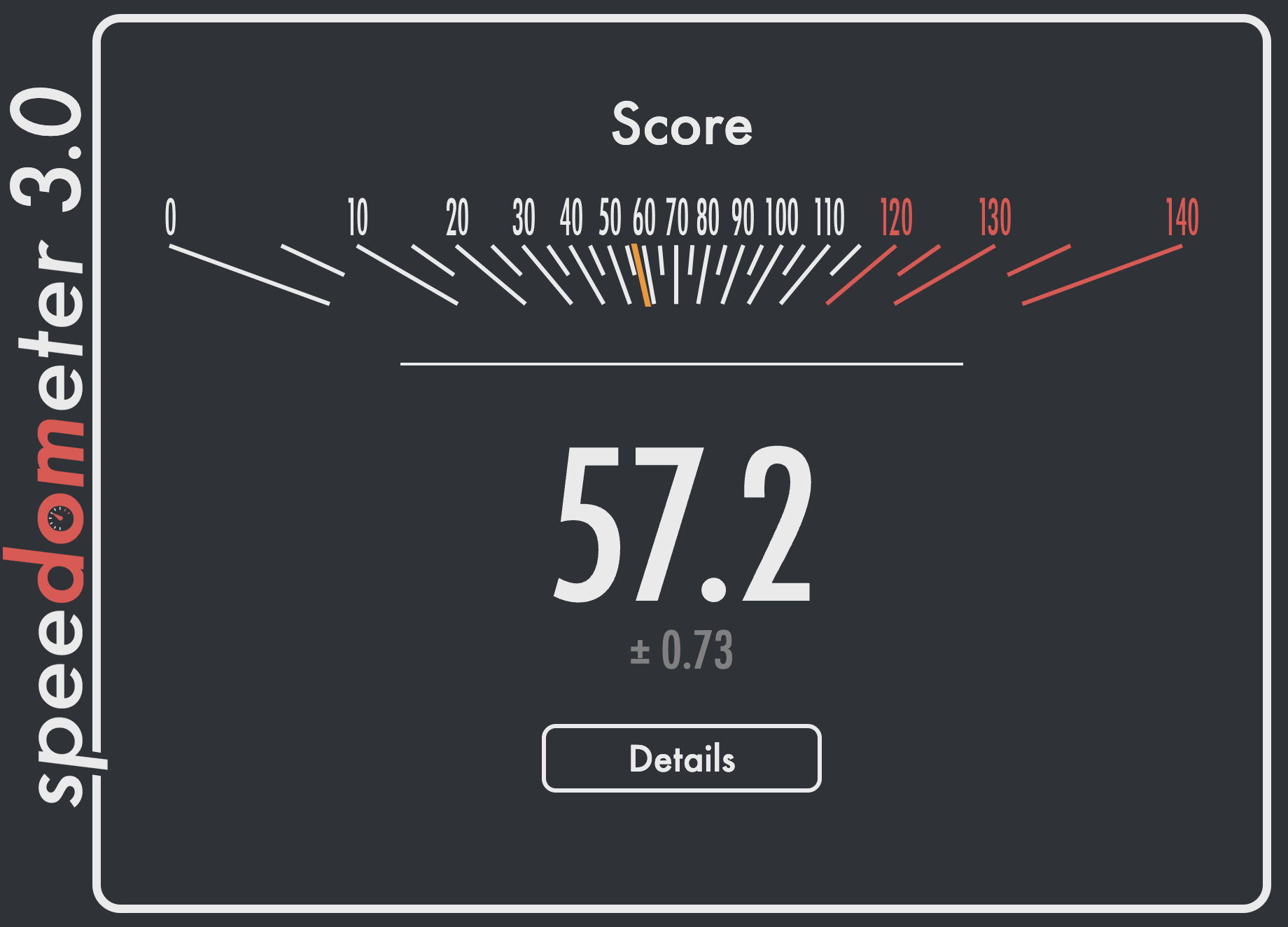
Speedometer 3.0 benchmark — Turbo Browser web performance
Account & sync
- Dual sign-in — Turbo or Google, switch from the avatar menu
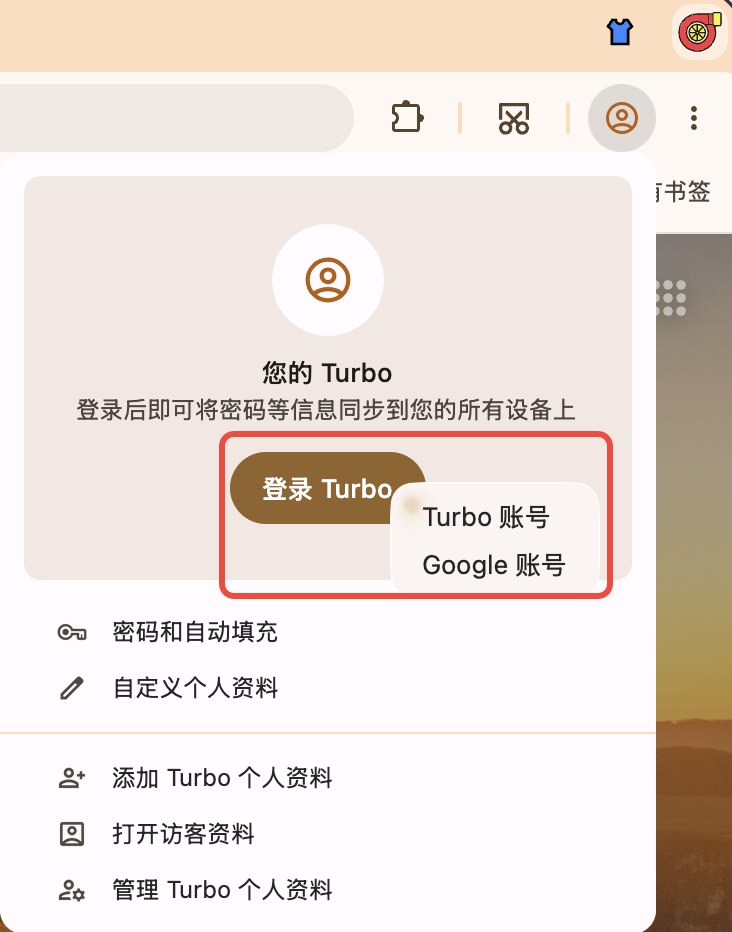
Dual sign-in: choose Turbo account or Google account from the avatar menu
- Data sync — Bookmarks, passwords, Passkeys, cookies (pull, push, local debounce)
- How to use — After sign-in, open Settings → Sync and enable items as needed; first sync may take a few minutes
TIP
Both Turbo and Google accounts are supported; sync scope follows the options shown in Settings. Sync requires network access and Turbo services — if it fails, check sign-in status and retry.
Migration & import
- From Chrome / Edge — Bookmarks, passwords, autofill, extensions (per release support)
- How to use — Settings → Import browser data, choose the source browser and select items to import
Stores & extensions
- Chrome & Edge stores — Entries, menus, and icons for both
- Edge theme store — Install more Edge themes from the title bar entry (works alongside one-click appearance)
Ad blocking

- AdGuard ad blocker — Block ads, trackers, and intrusive pop-ups for a cleaner, faster browsing experience
- How to install — Click the button below to download the extension, then follow the browser prompt to finish setup
Web translation

- Immersive Translate — Free bilingual web translation that targets the main content area for a cleaner, less intrusive reading experience
- More capabilities — Hover and selection translation; PDF, EPUB, subtitles, and images; bilingual subtitles on YouTube, Netflix, Bilibili, and more; DeepL, OpenAI (ChatGPT), Gemini, and other engines
- How to install — Click the button below to download the extension, then follow the browser prompt to finish setup
Mouse gestures & boss key
- Boss key — Default
Ctrl + Qto hide/show the window; customizable in Settings - Mouse gestures — Hold right button and drag; path preview and custom actions; common defaults: ↑ scroll up, ↓ scroll down, ← back, → forward
Full default mappings: Shortcuts & Gestures.
Screenshots
- Region capture —
Ctrl + Shift + X(Windows) /Cmd + Shift + X(macOS); or use the toolbar screenshot button - Save page as image — Right-click or long-press the toolbar screenshot button → save as image (including full page)
- Save page as PDF — Right-click or long-press the toolbar screenshot button → save as PDF
- Bundled tools — Windows:
Screenshot.exe; macOS:Screenshot.app
Region capture on macOS may require Screen Recording permission. See Shortcuts → Screenshots.
UI & productivity
- First run — Skip intro; system theme — Follow OS light/dark
- One-click appearance — Title bar button to switch browser colors and look instantly, no trip to Settings
- Toolbar — Restore page, split screen, screenshot entry, customization
- System proxy — Optional use of OS proxy settings
- New tab — Built-in xnewtab with wallpaper, skins, and search; full-page theme editor
Tabs & address bar
- Recently closed tabs — Toolbar Restore page: left-click to instantly reopen the last closed tab; long-press or right-click for the full restore list
- Tabs — Double-click to close; block closing the last tab
- Address bar — Hover for QR code; one-click copy link
Updates & install
- Updates — Check in Settings; background check (~24h); macOS in-place replace after download
- Install — Turbo-first-run flow; Windows desktop shortcut and pin to taskbar
Cross-platform
- Windows / macOS
On the roadmap
We are investing in areas that matter most to everyday browsing in China — seamless multi-device use, safer downloads, enterprise rollout, and compatibility with local sites. Items below are planned and may ship incrementally.
Seamless sync across devices
- Smarter conflict handling when bookmarks or passwords change on multiple devices
- Broader sync scope — history, open tabs, extensions, and browser settings for a true pick-up-where-you-left-off experience
- Clear sync status — visible progress, failure reasons, and retry actions
Safer browsing and downloads
- Malicious and phishing URL blocking — focused on fake banking, government portals, and counterfeit download pages
- Download safety prompts for executables, scripts, and suspicious sources
- Resilient downloads — resume, queues, and recovery for unstable connections
Enterprise and education deployment
- Silent install and bulk rollout for intranet distribution and imaging workflows
- Group policy and centralized settings for homepage, proxy, extensions, and update control
Local site compatibility
- Banking, government, and OA portals — ongoing support for USB security keys, controls, certificates, and intranet gateways common in China